ARROWVOID
Slide the arrows out. Don't crash.
Download from the App StoreFor iPhone and iPad
How it plays
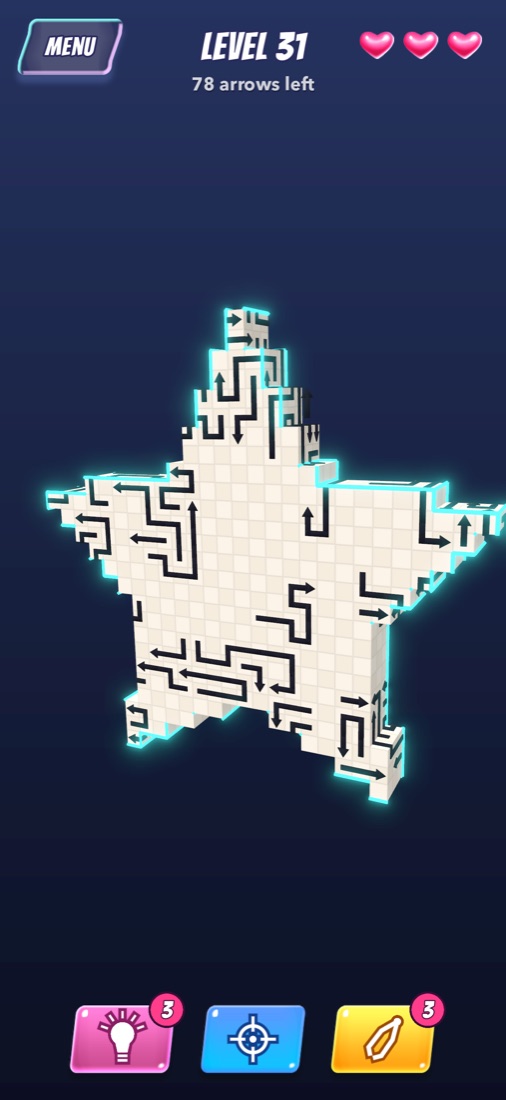
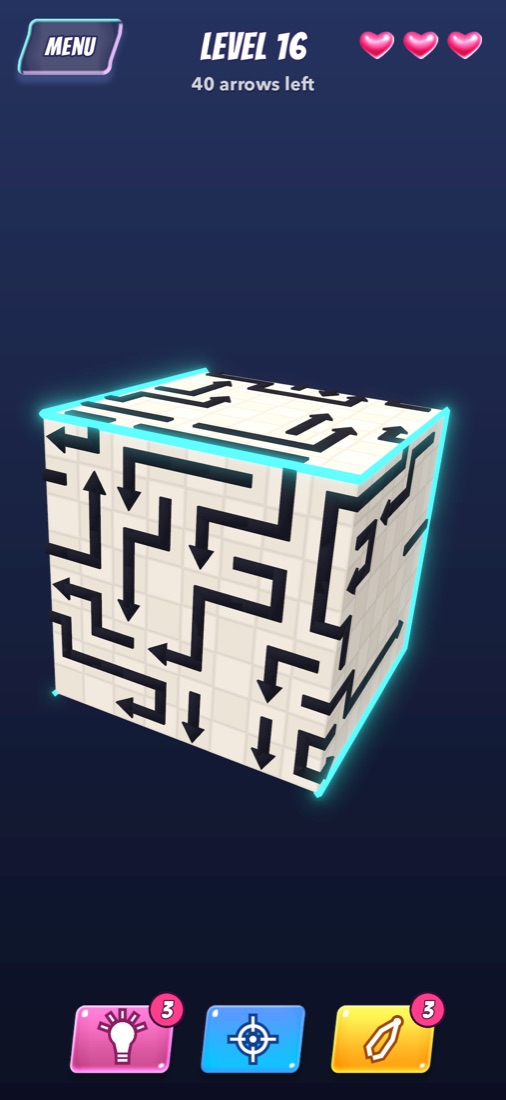
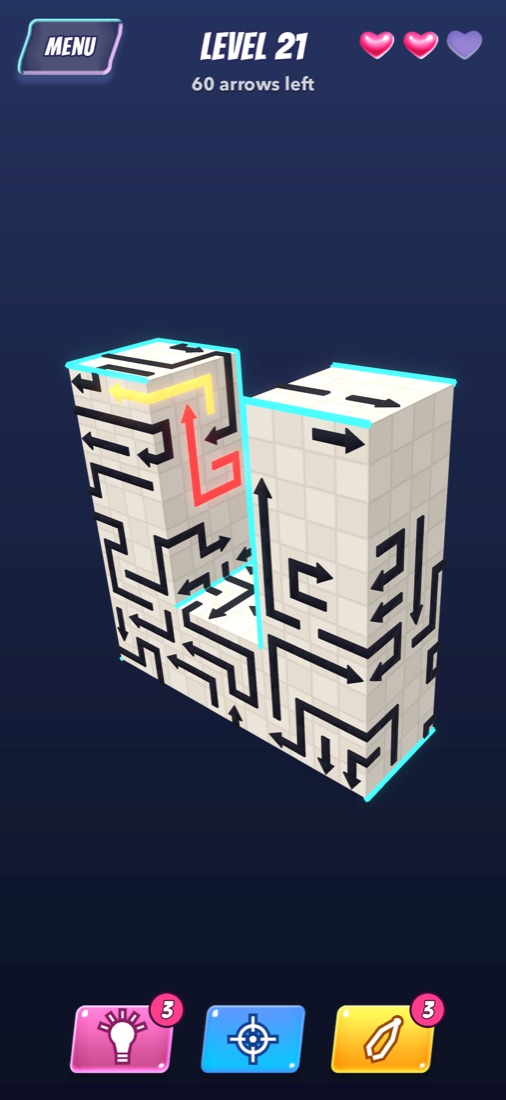
Every arrow slides off the shape the way it points. Tap one with a clear run and it flies away. Tap one that's blocked and it crashes, turns red and costs you a heart. Work out the order, clear every arrow, and the level's done.
- 200 levels, from a flat board to whole 3D shapes: cubes, stairs, towers, stars, hearts, a torus and a dodecahedron
- Drag to turn the shape and pinch to zoom in on the fine arrows
- Glowing edges send arrows round onto the next face
- Three hearts per level, and the same crash twice only costs one
- Clear a level without losing a heart, and without help, for a gold star
- Hints show you an arrow that's free to go, and plucks lift one straight off
Daily puzzle
A new puzzle every day, the same for every player, in Normal and Hard. Clear them to fill the calendar with stars, and go back to any day you missed.
Free to start
Play the first 20 levels and today's Normal daily puzzle for free. A single in-app purchase unlocks the full game:
- All 200 levels
- The Hard daily puzzle
- The calendar, to play every daily you missed
One purchase. No ads, no subscription, no account and no internet connection needed.
Help and support
Questions, problems or ideas? Email hello [at] neoncat [dot] software and we'll get back to you.
- How do I play?
- A short guide runs the first time you play. To see it again, tap Menu during a level, then How to play.
- Why did I lose a heart?
- The arrow you tapped was blocked: something sits in the way of where it points, maybe round a corner. The arrow it hit flashes so you can see what was in the way. Tapping the same arrow into the same thing again doesn't cost another heart.
- I'm stuck on a level
- Tap Hint to be shown an arrow that's free to go, or Pluck and then an arrow to lift it off without a crash. You earn a hint for every 3 new levels you clear and a pluck for every 4. The crosshair button puts the shape back the way it started.
- How do I get a gold star?
- Clear the level with all three hearts and without using a hint or a pluck. Any other clear earns a silver star, and you can replay a level to go for gold.
- What do the glowing edges do?
- An arrow reaching a glowing edge goes round it onto the next face instead of flying off, so it can be blocked by arrows on that face too.
- Can I turn off the sound or vibration?
- Yes. Settings has a volume slider and a switch for vibration.
- I bought the full game on another device
- Open Settings and tap Restore purchases, signed in with the same Apple Account.
- Will my progress move to a new device?
- Your levels and stars are saved on the device you play on. They aren't backed up to an account, so they don't move across to a new device. The full game unlock does, with Restore purchases.
- How do I get a refund?
- Purchases are handled by Apple. You can request a refund at reportaproblem.apple.com.